Master Your Workspace: 6 Steps to a Productive Home Office in 2026
The landscape of work has irrevocably shifted, with remote and hybrid models becoming the norm rather than the exception. As we navigate 2026, the need for a truly functional home office is more critical than ever. It’s not just about having a desk and a chair; it’s about crafting a dedicated environment that fosters focus, enhances productivity, and supports your well-being. A poorly designed workspace can lead to distractions, discomfort, and decreased efficiency, ultimately impacting your career and personal life. Conversely, a well-thought-out functional home office can be a sanctuary of creation, a hub of innovation, and a cornerstone of your professional success.
This comprehensive guide will walk you through six essential steps to design and optimize your functional home office for peak productivity in 2026. We’ll delve into everything from spatial planning and ergonomic considerations to technology integration and maintaining a healthy work-life balance. Whether you’re setting up a new workspace from scratch or looking to revitalize an existing one, these practical solutions are designed to help you create an environment where you can thrive.
The initial investment in time and resources to establish a truly functional home office will pay dividends in increased output, reduced stress, and improved job satisfaction. Think of it as an investment in yourself and your future. By following these steps, you’ll not only create a space that looks good but also one that actively supports your goals and workflow. Let’s embark on this journey to transform your home into a powerhouse of productivity.
Step 1: Define Your Space and Needs for a Functional Home Office
The first and arguably most crucial step in creating a functional home office is to clearly define your available space and understand your specific work needs. This isn’t just about finding an empty corner; it’s about strategically allocating real estate within your home to maximize its potential as a productive workspace. Consider the size, layout, and natural light of potential areas. Is there a spare room, a quiet corner in the living room, or even a dedicated section of a larger space that can be transformed?
When assessing your space, think about the level of privacy you require. If your work involves frequent video calls or requires deep concentration, a secluded area away from household foot traffic might be paramount. Conversely, if your work is more collaborative and less sensitive to ambient noise, a more open-plan arrangement could suffice. Soundproofing solutions, such as acoustic panels or even heavy curtains, can be considered if complete quiet is essential and a separate room isn’t an option. The goal is to minimize distractions and create a psychological boundary between your work life and personal life, even if the physical boundary is subtle.
Understanding Your Work Style and Requirements
Beyond the physical space, a deep understanding of your work style is vital. Do you thrive in a minimalist environment, or do you prefer to have all your tools and resources within arm’s reach? Do you need extensive storage for documents, samples, or equipment? Are you frequently on the phone, requiring a comfortable headset and a quiet background? Do you often collaborate with others virtually, necessitating a robust internet connection and a high-quality webcam?
List out all the essential equipment you use daily: monitors, printer, scanner, specialized software, art supplies, engineering tools, etc. This inventory will inform your furniture choices and storage solutions. Also, consider your daily routines. Do you work long hours that demand maximum comfort? Do you take frequent breaks, and if so, how can your functional home office accommodate these? The more detailed your understanding of your needs, the better equipped you will be to design a space that truly serves you. This foundational step ensures that every subsequent decision is aligned with creating a truly functional home office tailored to your unique requirements, setting the stage for a highly productive environment in 2026 and beyond.
Step 2: Prioritize Ergonomics and Comfort in Your Functional Home Office
Once you’ve defined your space and needs, the next critical step is to prioritize ergonomics and comfort. An ergonomic setup is not a luxury; it’s a necessity for long-term health, sustained productivity, and preventing work-related injuries. Spending hours in an uncomfortable or improperly configured workspace can lead to a host of issues, including back pain, neck strain, carpal tunnel syndrome, and eye fatigue. Investing in quality ergonomic furniture is an investment in your physical well-being and, by extension, your professional longevity.
The Ergonomic Chair: Your Foundation of Comfort
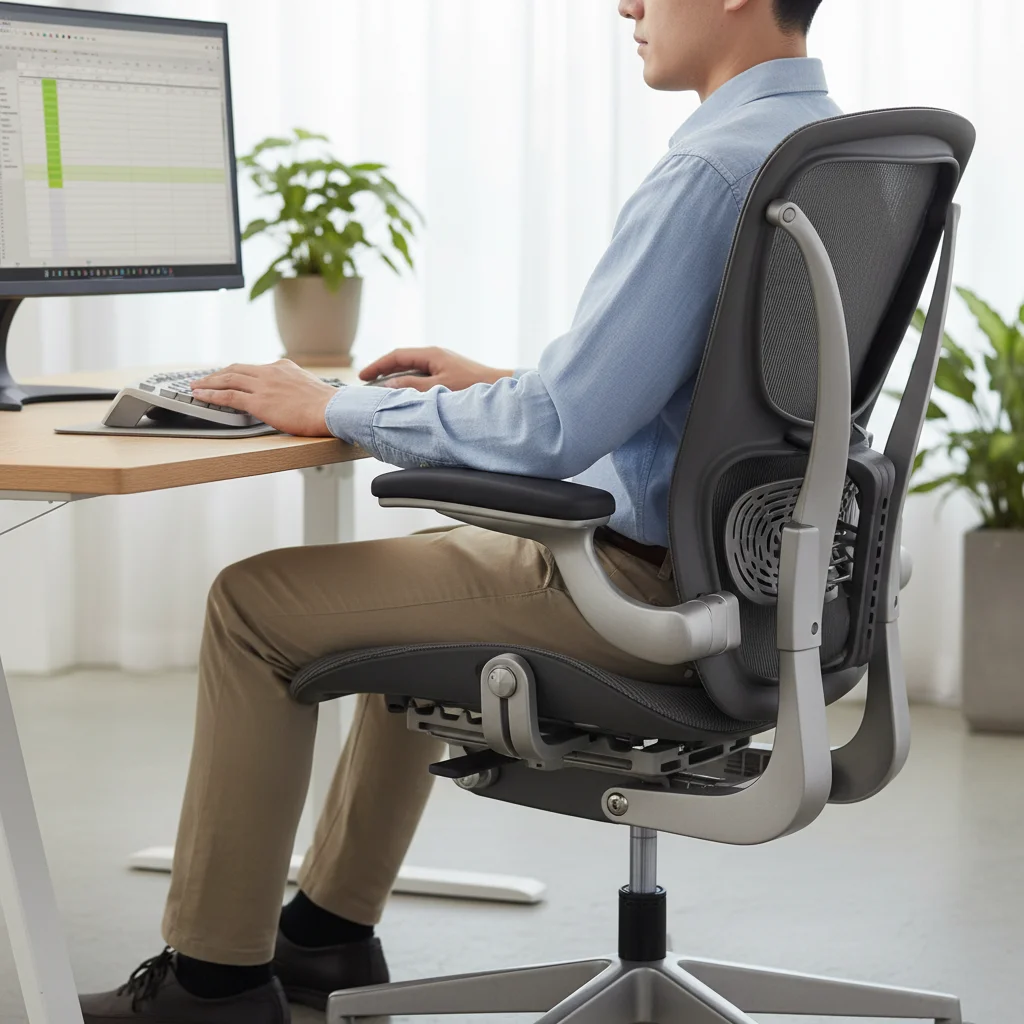
The centerpiece of any functional home office should be an ergonomic chair. This isn’t just any office chair; it’s one designed to support the natural curve of your spine and allow for various adjustments to fit your body perfectly. Look for chairs with adjustable seat height, backrest tilt, lumbar support, and armrests. The goal is to maintain a neutral posture, with your feet flat on the floor (or a footrest), knees at a 90-degree angle, and forearms parallel to the floor when typing. Proper armrest height can alleviate shoulder and neck tension, while good lumbar support reduces strain on your lower back. Don’t underestimate the impact of a truly supportive chair on your daily comfort and energy levels.
Desk Height and Monitor Placement
Complementing your ergonomic chair is the right desk. An ideal desk should allow you to maintain proper posture while working. Adjustable-height desks (standing desks) are highly recommended as they enable you to alternate between sitting and standing throughout the day, which can significantly reduce sedentary behavior and improve circulation. If a standing desk isn’t feasible, ensure your fixed-height desk is at a level where your arms can comfortably rest at a 90-degree angle to your keyboard without shrugging your shoulders.
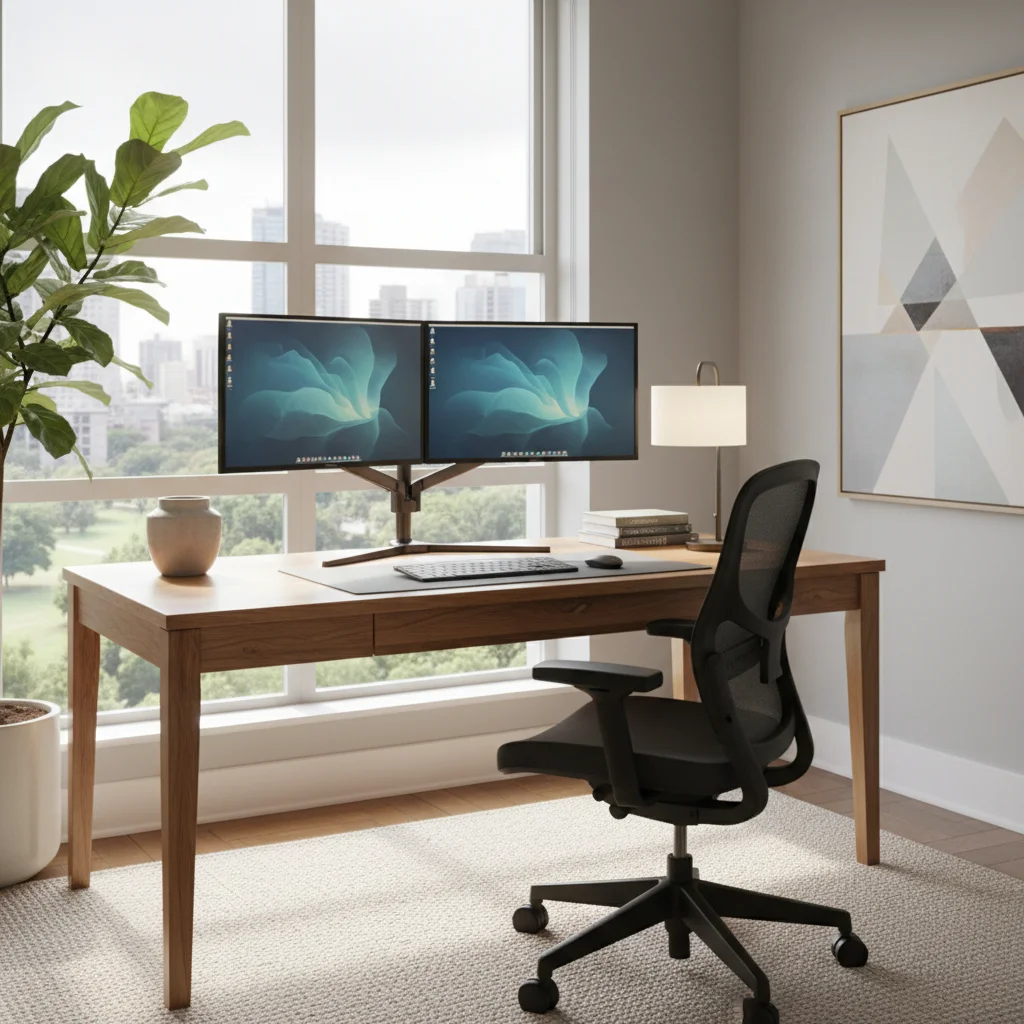
Monitor placement is equally crucial. Your monitor should be at arm’s length from your eyes, with the top of the screen at or slightly below eye level. This prevents neck strain from looking up or down for extended periods. If you use multiple monitors, arrange them ergonomically to avoid excessive head turning. Consider monitor arms to free up desk space and provide greater flexibility in positioning. For laptop users, an external monitor and keyboard/mouse are highly recommended to achieve proper ergonomic alignment, as working solely on a laptop can force an unhealthy posture.
Lighting and Accessories
Beyond the primary furniture, consider lighting. Natural light is ideal, so position your desk near a window if possible, but avoid direct glare on your screen. Supplement natural light with good ambient lighting and a task lamp to reduce eye strain. Adjustable desk lamps allow you to direct light where it’s needed most. Finally, don’t forget ergonomic accessories like a wrist rest for your keyboard and mouse, an ergonomic mouse, and even a footrest if your feet don’t comfortably reach the floor. These small additions can make a big difference in maintaining comfort and preventing fatigue in your functional home office, ensuring you can work effectively for longer periods.
Step 3: Optimize Your Technology and Connectivity for a Seamless Functional Home Office
In 2026, technology is the backbone of almost every functional home office. A seamless and reliable tech setup is paramount for productivity, communication, and access to essential resources. This step involves more than just having a computer; it’s about integrating all your devices and ensuring robust connectivity to support your workflow without interruption.
Reliable Internet Connection
Your internet connection is the lifeline of your functional home office. Invest in the fastest and most reliable internet service available in your area. Consider a wired Ethernet connection for your primary workstation if possible, as it offers greater stability and speed compared to Wi-Fi, especially crucial for video conferences, large file transfers, and cloud-based applications. If Wi-Fi is your only option, ensure your router is modern, centrally located, and consider Wi-Fi extenders or a mesh network to eliminate dead zones.
Hardware and Peripherals
Your computer (laptop or desktop) should be powerful enough to handle your daily tasks efficiently. Slow processing speeds or insufficient memory can lead to frustration and lost time. Beyond the computer itself, think about essential peripherals:
- Monitors: As discussed in Step 2, consider dual monitors for enhanced multitasking. High-resolution screens reduce eye strain.
- Webcam and Microphone: For virtual meetings, a high-quality external webcam and a dedicated microphone (or a good quality headset) can significantly improve your professional presence and communication clarity. Integrated laptop cameras and mics are often subpar.
- Keyboard and Mouse: Choose ergonomic options that feel comfortable for extended use. Wireless options can reduce cable clutter.
- Printer/Scanner: Assess your printing and scanning needs. A multifunction printer can save space and offer versatility. For infrequent use, a small, reliable inkjet might suffice; for higher volume, a laser printer is more economical.
- Backup Solutions: Implement a robust backup strategy. This could include cloud storage, external hard drives, or a combination of both, ensuring your valuable data is always safe.
Software and Cloud Services
Beyond hardware, optimize your software environment. Ensure you have all necessary productivity suites (e.g., Microsoft 365, Google Workspace), communication tools (Slack, Zoom, Teams), and industry-specific applications. Leverage cloud services for file storage, collaboration, and project management to ensure accessibility from anywhere and seamless teamwork. Keep all software updated to benefit from the latest features and security patches. A well-integrated software ecosystem is a hallmark of a truly functional home office.
Step 4: Implement Effective Storage and Organization Strategies
A cluttered functional home office is a distracted mind. Effective storage and organization are paramount to maintaining focus, finding what you need quickly, and presenting a professional image, even in a remote setting. This step is about creating systems that keep your workspace tidy, efficient, and visually appealing.
Declutter First, Then Organize
Before you can organize, you must declutter. Go through everything in your potential workspace. Discard or relocate items that don’t serve a direct purpose in your functional home office. This includes old papers, unused gadgets, and personal items that create visual noise. A minimalist approach often leads to a more serene and productive environment. Ask yourself if each item truly belongs in your workspace or if it’s contributing to clutter.
Smart Storage Solutions
Once decluttered, identify your storage needs. Different types of items require different solutions:
- Documents: Filing cabinets (digital or physical), file folders, and document trays are essential. For physical documents, consider a system that’s easy to access and understand. Digitizing documents whenever possible can drastically reduce paper clutter.
- Office Supplies: Desk organizers for pens, sticky notes, paper clips, and other small items keep your desktop clear. Drawer organizers can prevent utility drawers from becoming a chaotic mess.
- Books and Reference Materials: Shelving units, either wall-mounted or freestanding, are perfect for books, binders, and other reference materials. Ensure they are easily accessible but don’t overcrowd your primary workspace.
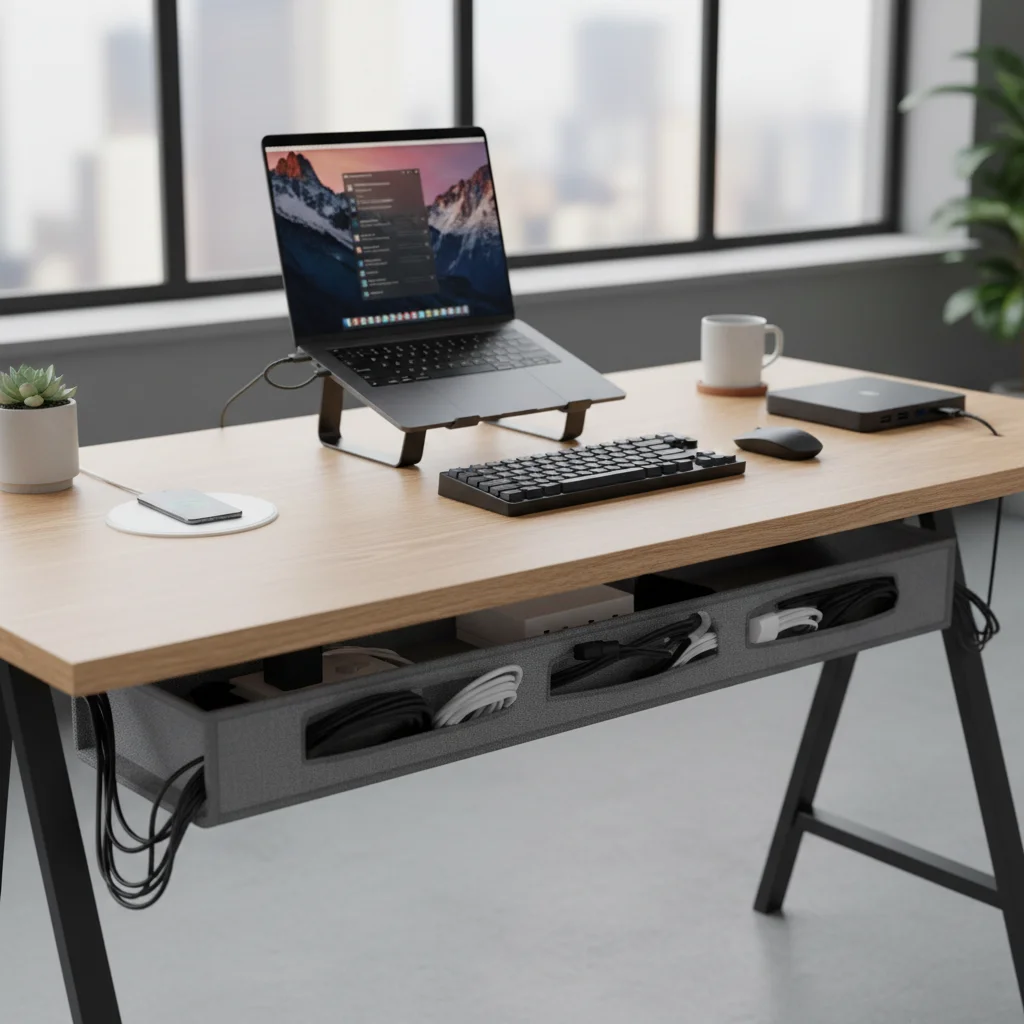
- Cables and Chargers: Cable management is crucial for a clean, functional home office. Use cable ties, cable sleeves, and under-desk cable trays to hide unruly wires. A charging station for all your devices can keep multiple chargers from cluttering your desk.
- Personal Items: Designate a small area or a drawer for personal items like a water bottle, snacks, or a small plant to keep them from encroaching on your work surface.
Vertical Space and Labeling
Don’t forget to utilize vertical space. Wall-mounted shelves, pegboards, and vertical file holders can free up valuable desk surface area. Labeling is another simple yet powerful organizational tool. Clearly label folders, drawers, and storage bins so you can quickly find what you need without rummaging. Establishing a ‘home’ for every item in your functional home office ensures that putting things away is as easy as taking them out, promoting a consistently organized environment.
Step 5: Cultivate an Inspiring and Focused Environment
A functional home office is not just about efficiency; it’s also about creating an atmosphere that inspires creativity, reduces stress, and promotes sustained focus. This step focuses on the aesthetic and sensory elements that contribute to a positive and productive workspace, transcending mere utility to foster a truly enriching environment.
Personalization and Aesthetics
Your workspace should feel like yours. Incorporate elements that reflect your personality and bring you joy, but do so thoughtfully to avoid clutter. This could include a favorite piece of art, a few well-chosen photographs, or decorative items that inspire you. Consider a cohesive color scheme that promotes calm or energy, depending on your preference. Natural materials like wood, bamboo, and linen can add warmth and texture, making the space feel more inviting. The goal is to create a visually pleasing environment that motivates you rather than distracts you.
Natural Elements and Biophilic Design
Bringing nature into your functional home office can have profound benefits. Plants not only add a touch of green and life but can also improve air quality and reduce stress. Studies have shown that even a view of nature can enhance cognitive function and reduce mental fatigue. If a window with a view isn’t available, consider incorporating several indoor plants. Succulents, snake plants, and ZZ plants are low-maintenance options that thrive indoors. The concept of biophilic design – integrating natural elements into built environments – is gaining traction for its positive impact on well-being and productivity.
Lighting and Ambiance
Revisit lighting from an aesthetic and mood-setting perspective. Beyond task lighting, consider ambient lighting that creates a comfortable glow. Dimmable lights can be adjusted throughout the day to match natural light conditions and your personal preferences. Avoid harsh overhead fluorescent lights, which can cause eye strain and fatigue. A strategically placed floor lamp or a warm-toned desk lamp can add depth and coziness to your functional home office.
Sound and Scent
Consider the auditory and olfactory aspects of your workspace. If ambient noise is an issue, noise-canceling headphones can be a game-changer. For those who enjoy background sound, consider nature sounds, classical music, or focus-enhancing playlists. Scent can also influence mood and concentration. Essential oil diffusers with calming scents like lavender or invigorating scents like peppermint or citrus can subtly enhance your focus and reduce stress. Just be mindful of strong scents that might become overwhelming.
By consciously curating these elements, you transform your functional home office from a mere workstation into an inspiring sanctuary where ideas flourish, and productivity thrives. This holistic approach ensures that your workspace supports not just your tasks, but your overall well-being.
Step 6: Establish Boundaries and Routines for Sustained Productivity
The final step in creating a truly functional home office is not about physical objects, but about establishing healthy habits and psychological boundaries. Without these, even the most perfectly designed workspace can lead to burnout and an unhealthy work-life blend. Sustained productivity in a home office environment hinges on discipline and intentional routines.
Define Your Work Hours
One of the biggest challenges of working from home is the temptation to constantly be ‘on.’ Clearly define your work hours and stick to them as much as possible. Communicate these hours to colleagues, clients, and family members. This helps manage expectations and prevents work from spilling into personal time. Starting and ending your workday with a ritual, like getting dressed in work attire or taking a short walk, can help signal the transition between personal and professional modes.
Create a Dedicated Workspace (and Leave It)
Reinforcing Step 1, having a dedicated functional home office space is crucial. When you are in that space, you are working. When you leave that space, you are not. This physical separation helps your brain compartmentalize and prevents your entire home from becoming ‘the office.’ If you don’t have a separate room, find a way to visually or psychologically ‘close off’ your workspace at the end of the day, perhaps by covering your desk or turning off all work-related devices.
Schedule Breaks and Movement
Regular breaks are essential for maintaining focus and preventing fatigue. Schedule short breaks every hour or two to stand up, stretch, walk around, or grab a snack. A longer break for lunch away from your desk is also vital. Consider incorporating a short exercise routine before, during, or after work. Movement not only improves physical health but also boosts mental clarity and creativity, contributing significantly to a functional home office strategy.
Minimize Distractions
Identify your biggest distractions and actively work to mitigate them. This might mean turning off non-essential notifications on your phone and computer, using website blockers during focused work periods, or communicating with family members about your need for uninterrupted time. Create a ‘do not disturb’ signal if you share your home with others. A focused environment is a key component of a functional home office.
Regularly Review and Adapt
Your work needs and personal circumstances may change over time. Regularly review your functional home office setup and your routines. What’s working well? What could be improved? Are there new technologies or ergonomic solutions that could further enhance your productivity and comfort? Be open to adapting and evolving your workspace to ensure it remains a supportive and effective environment for your professional endeavors in 2026 and beyond.
Conclusion: Your Functional Home Office – A Catalyst for Success in 2026
Creating a truly functional home office is an ongoing journey, not a one-time project. By diligently following these six comprehensive steps – defining your space and needs, prioritizing ergonomics, optimizing technology, implementing smart organization, cultivating an inspiring environment, and establishing healthy boundaries – you are not just setting up a workspace; you are designing a launchpad for your professional success in 2026 and beyond.
The benefits extend far beyond mere task completion. A well-designed functional home office contributes to improved physical health by preventing strain and promoting movement. It fosters mental well-being by reducing stress, enhancing focus, and creating a clear delineation between work and personal life. It empowers you with the tools and environment necessary to unleash your creativity, meet deadlines with confidence, and collaborate effectively, regardless of your physical location.
Remember, your home office should be a reflection of your professional aspirations and a sanctuary for your productivity. It should be a place where you feel comfortable, inspired, and empowered to do your best work. Take the time to implement these practical solutions, make adjustments as needed, and continuously refine your space. The investment you make in creating a functional home office today will yield significant returns in your productivity, satisfaction, and overall quality of life. Embrace the power of a well-crafted workspace and watch your career flourish.